Why Estimating Software Matters
Estimating is the highest-leverage activity in a contracting business. A 5 percent error on material quantities can wipe out the profit on an entire job. A labor estimate that misses by twenty hours can turn a winning bid into a loss before the first nail is driven. Estimating software reduces those risks by replacing manual calculations, handwritten takeoffs, and spreadsheet formulas with structured tools designed for construction pricing.
Beyond accuracy, estimating software speeds up the bidding process. Contractors who rely on paper plans and hand-scaling waste hours per bid that could go toward reviewing bid documents more carefully or bidding more projects. Digital takeoff tools let an estimator measure areas, lengths, and counts directly on screen, export the quantities to a pricing sheet, and produce a finished bid in a fraction of the time.
For general contractors who manage multiple trades and scopes, estimating software also provides a centralized record. Every bid, every quote from subcontractors, every material price, and every assumption is stored in one place. When a job comes back with questions or gets awarded months later, the estimator can reopen the original bid package with complete context rather than reconstructing it from memory.
The financial impact of better estimating shows up in two practical ways. Digital tools reduce the time spent preparing each bid and lower the chance of a pricing error that quietly eats margin, which is why many contractors find the return on investment clear once their bidding volume is high enough for the savings to matter. One avoided mistake on a single mid-size job can offset a meaningful share of the software cost for the year.
Must-Have Features in Estimating Software
Digital takeoff is the feature that separates modern estimating software from spreadsheet-based methods. A tool that lets the estimator upload a PDF plan, draw or trace areas and lengths directly on the document, and have the software calculate square footage, linear footage, and counts automatically saves hours per bid. The takeoff data should flow into a pricing sheet or cost database without manual reentry.
A cost database or assembly library is the second critical feature. Instead of entering the same material and labor costs for every bid, the software stores standard line items and assemblies. A wood deck assembly might include the joists, decking, fasteners, and labor with default quantities per square foot. The estimator selects the assembly, adjusts for project-specific conditions, and the pricing updates automatically. Over time, the estimator refines these assemblies based on actual job costs.
Integration matters more than most contractors realize. The estimating software should export to the company's accounting or project management platform so awarded bids become budget baselines without reentering data. Many platforms also integrate with supplier pricing databases to pull current material costs, reducing the risk of stale pricing in a rising market.
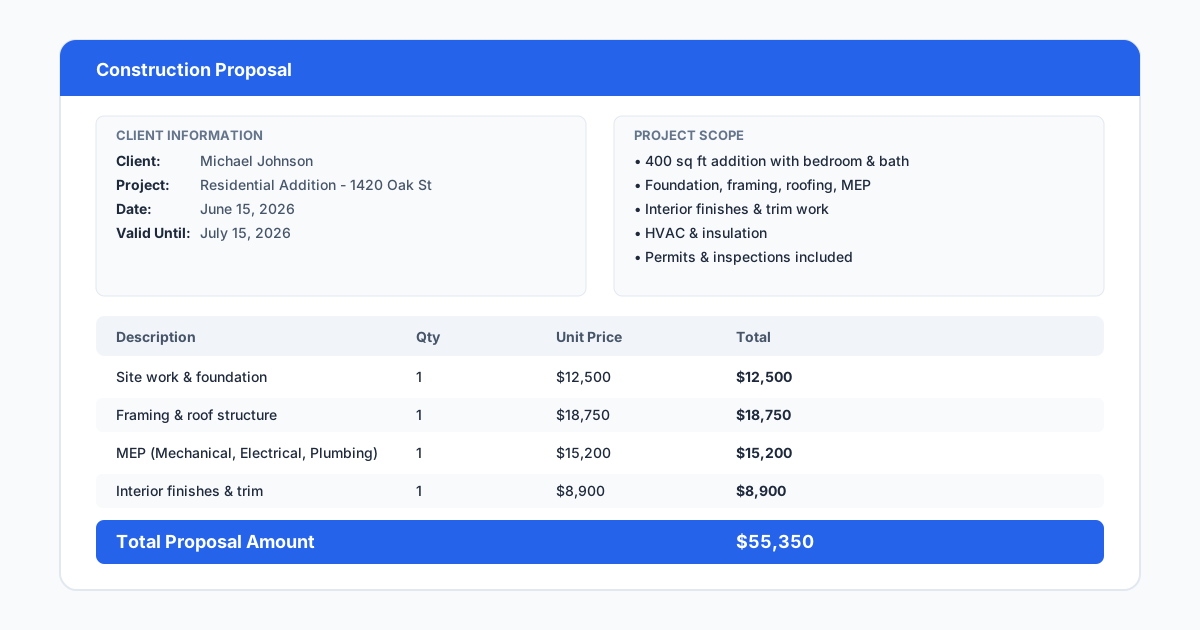
Reporting and bid comparison features help general contractors evaluate subcontractor quotes and material supplier bids alongside their own self-perform estimates. A good estimating platform shows side-by-side comparisons, highlights gaps in scope coverage, and generates a professional proposal document that can be submitted directly to the client or general contractor.
- Digital on-screen takeoff with length, area, and count tools
- Cost database with customizable assemblies and line items
- Integration with accounting and project management platforms
- Subcontractor and supplier quote comparison tools
- Professional proposal and bid document generation
- Mobile access for field verification of quantities
Top Estimating Software Options
Bluebeam Revu is the most widely used tool for digital takeoff among general contractors. It is not a full estimating platform, but its measurement tools, markup capabilities, and PDF management make it the go-to choice for contractors who want to control the takeoff process themselves. Many estimators use Bluebeam for takeoff and export quantities to a separate pricing tool.
PlanSwift is a dedicated takeoff and estimating platform popular with mid-market contractors, offering drag-and-drop measurement, an item database, and customizable reports, with both permanent-license and subscription pricing options.
STACK Construction Technologies offers a cloud-based takeoff and estimating platform that requires no installation, making it easy for remote estimators and field teams to access bid information from anywhere. It's one of the more accessible entry points for smaller contractors, with advanced features like custom reporting gated to higher-tier plans.
ProEst is a full estimating platform including digital takeoff, cost databases, bid day management, and project management integration, aimed at mid-size general contractors wanting an end-to-end solution with strong subcontractor quote management.
Esticom, part of Procore, offers a cloud-based takeoff and estimating tool that integrates directly with Procore's project management platform — the natural estimating companion for contractors already using or considering Procore.
Pricing for all five changes over time and varies by plan tier and contract length — confirm current pricing directly with each vendor before comparing rather than relying on a quoted figure that may be out of date. For contractors just starting with digital estimating, no single tool is the right fit for every trade — a concrete contractor needs different takeoff tools than an electrical contractor. Select a platform that supports your specific trade's measurement types and cost assemblies, and ask directly about your trade's requirements during a demo rather than assuming a general-purpose tool covers it.
| Tool | Best for | Note |
|---|---|---|
| Bluebeam Revu | Takeoff and markup control, paired with a separate pricing tool | Not a full estimating platform on its own |
| PlanSwift | Combined takeoff and pricing in one tool | Both license and subscription pricing available |
| STACK | Cloud-based, remote and field access | Advanced features gated to higher tiers |
| ProEst | End-to-end estimating with sub quote management | Aimed at mid-size general contractors |
| Esticom (Procore) | Contractors already on or considering Procore | Direct Procore integration |
Estimating Software vs Takeoff Software
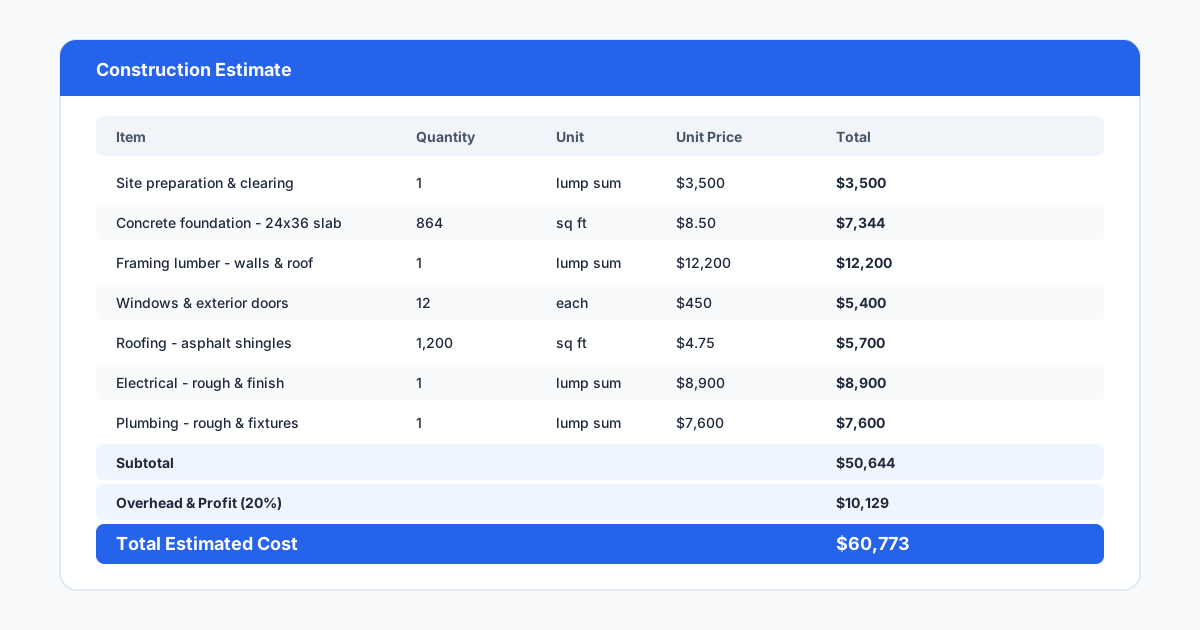
The terms estimating software and takeoff software are often used interchangeably, but they refer to different stages of the bidding process. Takeoff software focuses on measuring quantities from plans. It handles the visual work of tracing areas, counting items, and recording lengths. Estimating software handles the pricing work of assigning costs to those quantities, adding labor, markup, overhead, and profit, and producing a finished bid.
Some tools combine both functions, while others specialize in one. A contractor who prefers to do takeoff in Bluebeam and pricing in Excel is using two separate tools. A contractor using PlanSwift or STACK does both in the same platform. The right approach depends on team size, bid volume, and whether the estimator works alone or as part of a team that divides takeoff and pricing responsibilities.
For small to midsize general contractors, an all-in-one tool like PlanSwift or STACK reduces the friction of transferring data between applications and eliminates the risk of transcription errors. For larger firms with dedicated estimating departments, specialized tools for each function may provide more control and deeper features. The key is ensuring that the takeoff tool and estimating tool can share data cleanly, whether they are the same platform or separate products with a solid integration.
One practical workflow to test when evaluating tools is the takeoff-to-pricing-to-proposal pipeline. Upload a plan, perform a takeoff measuring three different material types, export the quantities to a pricing sheet, apply labor and markup, and produce a proposal document. If any step in that pipeline requires manual data entry or file conversion, the tool is adding friction instead of removing it. The best estimating platforms minimize the number of times an estimator has to touch the same data.
How SiteBuildHub Complements Estimating
Estimating software relies on accurate quantities, but those quantities come from plans that the contractor may not have. For many small jobs, additions, renovations, and site work, there is no formal drawing to measure from. The contractor visits the site, takes measurements, returns to the office, and either sketches the layout on paper or builds the estimate from handwritten notes. That process introduces measurement risk and produces no visual record of what was priced.
SiteBuildHub Draft helps estimators create the missing drawing in minutes. A contractor measuring a deck, fence, concrete pad, or site layout can draw the plan at true scale in the browser — see site plans, deck layouts, and fence layouts — export it as a PDF, and use it as the visual reference for the takeoff, instead of guessing at dimensions or reconstructing the layout from memory.
This workflow is especially valuable for remodelers, fence and deck contractors, concrete contractors, and site work contractors who frequently bid jobs without existing plans. Instead of writing estimates from field notes alone, they produce a drawing, verify their measurements, and build the estimate from a document they can see and check. See how to create construction estimates for how that drawing fits into the full estimating process. The drawing also becomes part of the bid package, giving the client a clear picture of what the price covers and reducing the likelihood of scope disputes after the job is awarded.