Why Proposals Matter for Winning Work
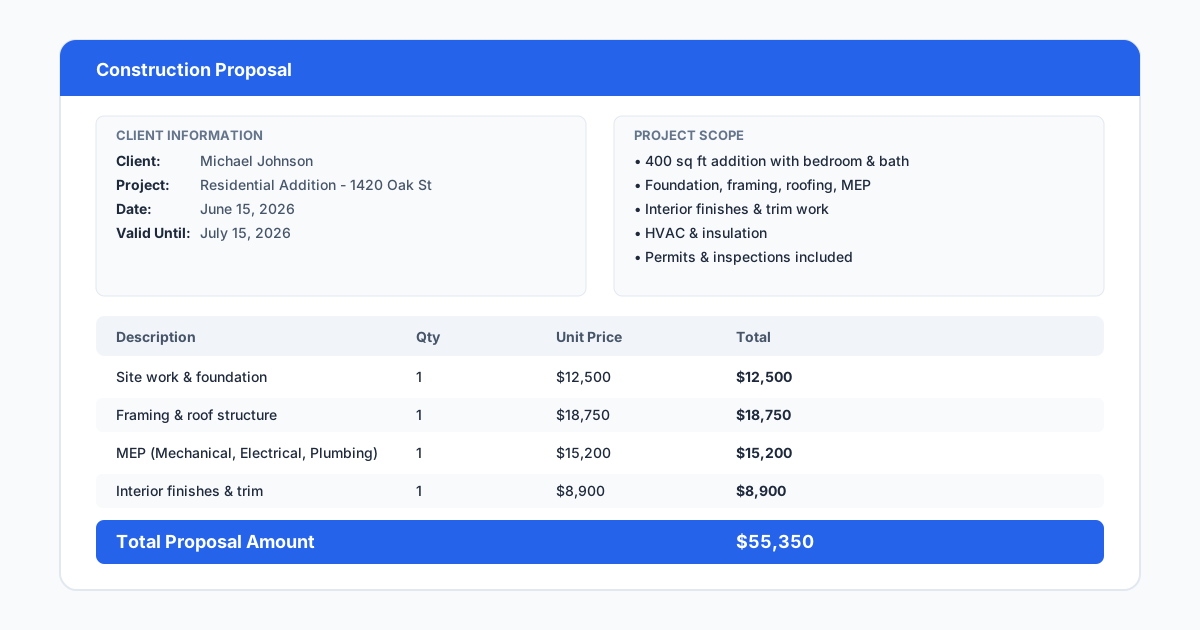
A construction proposal is more than a price. It is the document that communicates scope, timeline, payment terms, exclusions, and the contractor's professionalism in one package. Homeowners and commercial clients compare proposals side by side, and the difference between winning and losing often comes down to clarity and completeness rather than price alone. A proposal that includes a clear scope description, a project timeline, payment milestones, and a visual of the work conveys competence before the first conversation happens.
The problem for most contractors is that proposals take too long to produce. Writing a scope from scratch for every bid, copying terms from a previous job, formatting pricing tables, and attaching documents manually eats hours that could go toward bidding more projects or refining pricing. Proposal software addresses this by storing templates, standard terms, reusable line items, and automated workflows that cut proposal creation from an hour to ten minutes.
Beyond speed, proposal software improves consistency. Every proposal follows the same structure, includes the same required sections, and presents the same professional format. Clients notice when a proposal looks put together. A contractor who sends a clean, branded proposal with a drawing attached and an e-signature link built in signals that they run their business the same way they will run the project.
There is also a defensive value to professional proposals. A detailed, written proposal with clear exclusions, payment terms, and scope boundaries reduces the likelihood of disputes after the job starts. When a client later claims that they expected the proposal to include something that was not priced, the written document serves as the record of what was actually agreed upon. Proposal software with version history and timestamped approvals strengthens that protection further.
What Makes Great Proposal Software
Template management is the foundation. Good proposal software lets the contractor create templates for different project types, store them in a library, and generate a new proposal from a template with prewritten scope language, standard terms, and pricing tables. A deck builder might have a template for pressure-treated decks, one for composite decks, and one for roof decks, each with the appropriate materials, typical labor assumptions, and standard exclusions preloaded.
E-signature integration is the feature that actually closes deals. A proposal that requires the client to print, sign, scan, and email is a proposal that will sit on a counter for three days. A proposal with a click-to-sign button can close the same day the contractor presents it. Most proposal platforms include e-signature natively, though the specific capabilities vary. Some allow multiple signers for commercial jobs where both partners or board members need to sign.
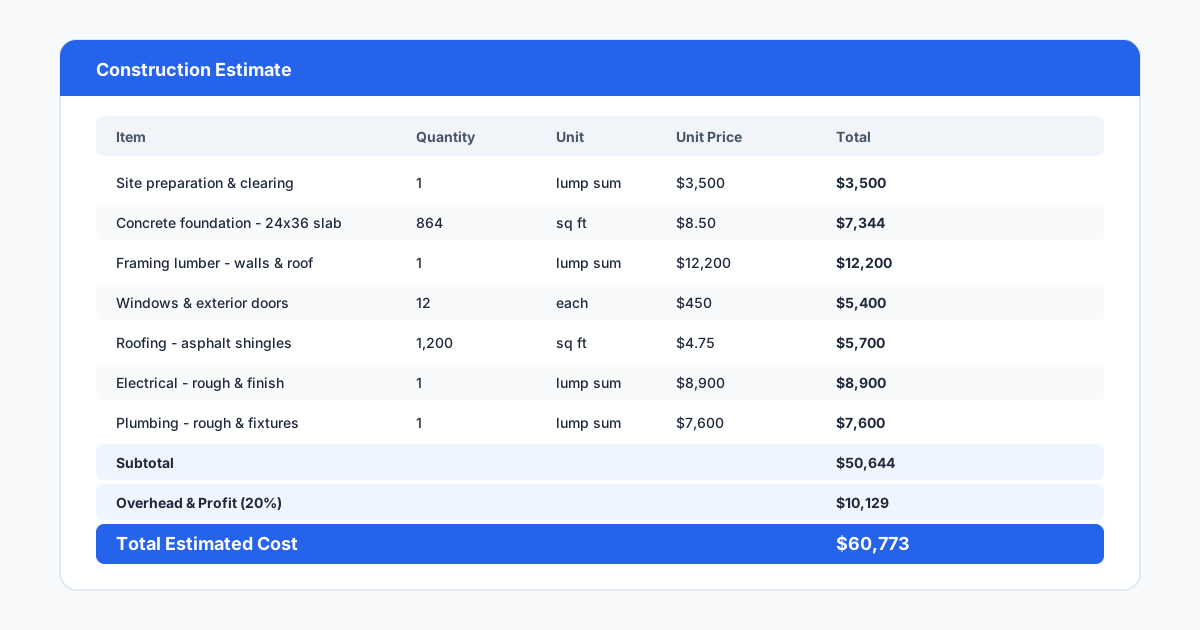
Pricing and line item flexibility matters more than contractors expect. Some jobs need a simple total price. Others require detailed cost breakdowns by trade, phase, or material category. Good proposal software supports both approaches without forcing the estimator into a rigid format. The ability to include allowances, alternates, and unit prices in the same document lets the contractor present options without creating multiple versions.
Integration with estimating and project management tools closes the loop. The best setup is one where the estimator builds the price in their estimating software, the proposal pulls from those numbers automatically, and when the client signs, the project gets created in the management platform with the budget already populated. Every manual transfer between systems introduces the risk of a typo or omission.
- Templates with reusable scope language and terms
- Built-in e-signature with optional multiple signers
- Flexible pricing formats, detailed breakdowns, and allowances
- Integration with estimating and project management platforms
- Branded proposal output with logo and company colors
- Mobile-friendly viewing and signing on any device
Top Proposal Software Options Compared
Houzz Pro is the strongest option for remodelers and design-build contractors who need both lead generation and proposal tools — templates, e-signature, and the ability to attach product catalogs and mood boards, bundled with marketing and lead flow in one platform.
JobNimbus offers proposal tools built on top of its CRM and project management platform, especially popular with roofing, siding, and exterior contractors — proposals can include photos and measurements, e-signature is built in, and signed proposals convert into jobs automatically.
Proposify and PandaDoc are document-focused platforms used widely across industries, including by contractors — polished templates, drag-and-drop editing, e-signature, and payment collection, best suited to contractors who already have an estimating workflow and want a professional proposal layer on top of it.
Buildertrend and CoConstruct both include proposal and change order features within their broader construction management platforms — see Buildertrend vs SiteBuildHub for how that broader platform compares to a focused drawing-and-proposal tool. For contractors already on either platform, the built-in proposal tools avoid a separate subscription, even if less polished than a dedicated proposal platform.
MeasureSquare serves contractors who want takeoff, estimating, and proposal generation in a single tool — popular in flooring and wallcovering but generalizable to any trade working from measured quantities, with a seamless takeoff-to-proposal workflow since it happens in one application.
Pricing on all of these changes over time and by plan tier — confirm current figures directly with each vendor rather than relying on a quoted number.
| Tool | Best for | Note |
|---|---|---|
| Houzz Pro | Remodelers wanting lead gen + proposals bundled | Design-forward, marketplace lead flow included |
| JobNimbus | Roofing, siding, exterior — high proposal volume | CRM-integrated, signed proposals auto-convert to jobs |
| Proposify / PandaDoc | Contractors with an existing estimating workflow | Document-focused, cross-industry, not construction-specific |
| Buildertrend / CoConstruct | Teams already on the platform for project management | Functional but less polished than a dedicated proposal tool |
| MeasureSquare | Flooring/wallcovering, or any measured-quantity trade | Seamless takeoff-to-proposal in one application |
Including Drawings in Proposals
A proposal with a drawing closes faster than one without. When a client sees a scaled layout of their deck, fence, addition, or site work alongside the price, they are approving a specific scope rather than a concept. The drawing removes ambiguity about what the price covers and gives the client confidence that the contractor has thought through the details. Contractors who include drawings in their proposals report fewer scope disputes and shorter decision cycles.
The challenge is that most proposal platforms do not include drawing tools. Contractors either sketch by hand and scan, use a CAD tool they barely know, or skip drawings altogether. SiteBuildHub Draft solves this by letting contractors create scaled, dimensioned drawings in the browser and export them as PNG or PDF for embedding in proposals — see construction proposal template for the full proposal structure a drawing like this fits into. A deck contractor can draw the deck plan, label the materials, dimension the layout, and drop the export into their proposal in under twenty minutes.
The combination of proposal software plus a drawing tool creates a complete bid package. The proposal software handles the terms, pricing, and signature. SiteBuildHub provides the visual scope document via tools like the fence layout tool and landscape plan maker. Together they present a professional, defensible bid that stands out from the dozen text-only proposals the client is comparing.
Pricing Considerations for Proposal Software
Proposal software pricing varies widely based on features, document limits, and team size, and changes over time — confirm current pricing directly with each vendor rather than relying on a quoted figure. Standalone proposal platforms tend to price lower per individual user than platforms bundling proposals with broader lead-generation or CRM functionality. Construction management platforms with built-in proposals typically add minimal incremental cost but may lack the polish of a dedicated tool.
Contractors should evaluate total cost rather than monthly price alone. A $50 proposal tool that creates friction because it does not integrate with the estimating process will end up costing more in time than a $150 tool that connects directly. Similarly, a proposal tool that generates no incremental cost because it is included in an existing platform may be the right choice even if its templates are less flexible.
Most proposal platforms offer free trials between seven and fourteen days. Contractors should use this time to create a real proposal for an actual upcoming bid. That test reveals whether the template system works for their trade, whether the e-signature process is smooth for their clients, and whether the export or integration options fit their workflow. A test with real stakes gives much better information than a guided demo.
One pricing detail that catches contractors off guard is document storage limits. Some proposal platforms limit the number of active proposals, the file size of attachments, or the total storage available on lower-tier plans. A contractor who includes high-resolution drawings and photos in every proposal can hit those limits quickly. Check the storage and attachment policies on your target plan before committing, and ask what happens when you exceed the limit.